2026-06-18
AI Agent for Excel: The Two-Cell Edit That Broke the Workbook
A replayed 52-case change-control drill shows why an Excel agent needs exact range binding, sequential writes, readback, candidate copies, and retry reconciliation.
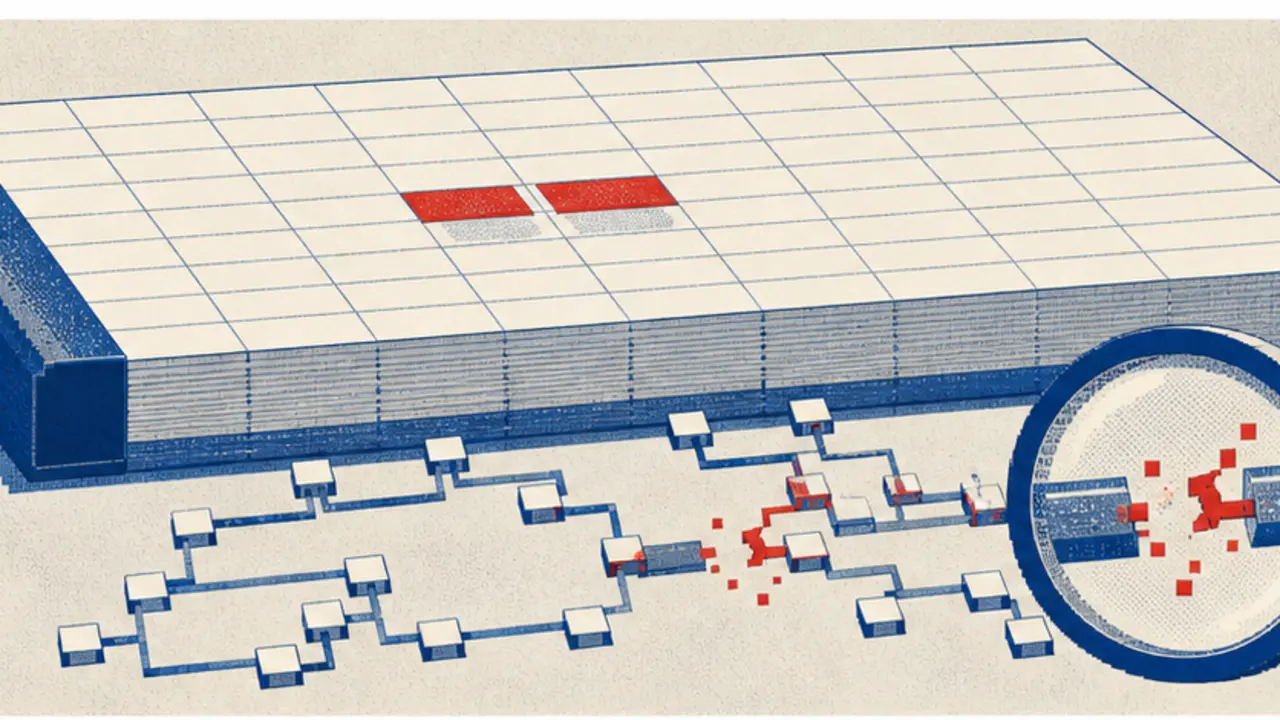
An AI agent for Excel can make a two-cell edit that looks perfect and still leaves the workbook wrong. The file saves. The values read back correctly. The automation reports success. Then a downstream formula points at the old range, a named table no longer has the expected shape, or a retry applies the same change twice. None of those failures is solved by asking the model for a better formula.
The old version of this article promised seven routine tasks, rapid setup, large time savings, and a tidy return on investment. Those claims were not backed by retained measurements. This replacement makes a smaller, testable argument: workbook mutation should be treated as a change-control operation. The agent may propose a precise patch, but storage, identity, session state, target shape, review scope, readback, and replay handling decide whether the patch is allowed to touch a file.
A fresh replay of the retained deterministic fixture exercised that boundary with 52 synthetic packets. It made no Microsoft Graph request, opened no workbook, wrote no file, used no credential or customer data, and called no model. Every case reached its expected decision across 32 distinct outcomes. Eight were ready for analysis or a bounded write path, one returned a cached receipt, three required reconciliation, and 43 were blocked or held.
The workbook is a program wearing a file icon
A spreadsheet is easy to underestimate.
Its executable logic is spread across ordinary-looking cells. Formulas reference other cells. Tables expand and shrink. Names point at ranges. Charts, pivots, validation rules, external links, and macros may depend on structure that is invisible in a request such as “update the rates.” The workbook is not merely a document containing numbers; it is a program with a spatial interface.
That changes the unit of approval. “Edit Close Pack.xlsx” is too broad. Even “update the Rates sheet” leaves room for an agent to choose the wrong cells, expand a two-column payload into three columns, convert a formula to a value, or clear formatting along with content. A useful approval names the workbook identity and version, operation, exact range or table, payload shape, source snapshot, expected readback, and replay key.
Testing the boundary with 52 deliberately awkward packets
The fixture used one benign baseline: set two values in Close Pack.xlsx::Rates!B2:C2 through a delegated Microsoft Graph write, inside a fresh persistent workbook session, with a matching source version, one sequential write lane, an approved review digest, a source snapshot, a post-write readback, and an application-owned idempotency key.
Then it changed one condition at a time. The variants included legacy .xls, CSV masquerading as a workbook, consumer storage, application permissions, read-only permissions, an expired session, parallel writes, a changed source version, a whole-workbook target, a 12,000-cell scope expansion, range-shape drift, unapproved sheet deletion, an external formula, macro mutation, stale or rejected review, missing snapshot, missing readback, source overwrite, uncertain delivery, and completion without a receipt.
| Boundary | Packet that crossed it | Decision |
|---|---|---|
| Format | .xlsx or .xlsm; legacy .xls and CSV rejected | Admit supported workbook shapes only |
| Remote identity | Business drive, delegated Files.ReadWrite, matching file version | Open a fresh persistent session or hold |
| Mutation shape | Exact range or table operation, bounded cell count, matching two-dimensional payload | Block address, operation, or shape drift |
| Review | Fresh digest over the exact target, operation, values, and evidence | Any change requires a new review |
| Recovery | Snapshot, sequential write, readback plan, idempotency key, terminal receipt | Reconcile uncertainty before retry |
| Local file | Matching source hash and a separate output copy | Never overwrite the only source |
The large blocked count is the point. The fixture was not trying to demonstrate that the agent can reach Excel. It was trying to make unsafe ambiguity uneventful. A packet that lacks a target, arrives after the source changed, or widens after review should stop before a workbook session or local writer exists.
A session is useful, but it is not a transaction

Microsoft recommends sessions when an application makes more than one or two Excel API calls. A persistent session saves changes; a non-persistent session keeps them temporary. Sessionless calls can also persist changes, but Microsoft notes that the performance cost is higher. For a reviewed mutation, requiring a fresh persistent session is a deliberately stricter application policy: it gives the operation an explicit lifetime and a session identifier that can be recorded with the attempt.
It still does not create database semantics.
A workbook session is not proof that the file version stayed unchanged before the first write, that every dependent object remained valid afterward, or that a timed-out request never landed. It does not turn two concurrent workers into one ordered editor. The application has to provide those guarantees around the session.
The permission model is equally specific. The current createSession documentation lists delegated work or school Files.ReadWrite and does not support application permissions for that method. That is a property of this session path, not a universal statement about every Microsoft Graph endpoint. The admission rule should therefore name the exact endpoint and auth mode rather than reducing authorization to “has a Graph token.”
One workbook gets one write lane
Microsoft’s workbook guidance is unusually direct here: avoid increasing concurrency for write requests to the same workbook. Parallel writes can produce throttling, timeouts, merge conflicts, and other failures. The recommended pattern is sequential requests with the prior response observed before the next begins.
An agent scheduler tends to do the opposite. It sees independent jobs—refresh a table, update a rate, clear a scratch range—and fans them out. The jobs may be independent in the queue but not inside the workbook. Key the write lane by stable workbook identity, not by prompt, worksheet, or task identifier. Reads may have a different policy, but mutations for one workbook should serialize through a single owner.
This costs throughput.
That is a real tradeoff, especially for a workbook used as a shared operational surface. The honest response is not to hide concurrency behind retries. Split workloads into independent workbooks, move high-volume records to a database, or accept that the spreadsheet is the serialization point.
Values, formulas, and table rows are different payloads
The Excel range update API exposes several fields that look interchangeable until they are not: values, A1-style formulas, locale-sensitive formulasLocal, R1C1 formulasR1C1, and numberFormat. A two-dimensional array must match the address shape. A null element means “ignore this cell,” which is not the same operation as clearing a value. A writer that serializes every answer into values can silently turn live formulas into constants.
Table-row insertion has its own contract. Microsoft recommends batching multiple rows in one request rather than adding them one at a time. The payload is still a two-dimensional array, but the target is a table and the insertion index changes its meaning. “Append these transactions” should therefore compile to an add_table_rows packet, not a generic range patch selected at execution time.
{
  "workbook": {"driveItemId": "…", "expectedVersion": "…"},
  "target": {"kind": "range", "sheet": "Rates", "address": "B2:C2"},
  "operation": "set_values",
  "shape": {"rows": 1, "columns": 2},
  "values": [[1.0725, 0.9142]],
  "reviewDigest": "sha256:…",
  "idempotencyKey": "close-pack-rates-2026-07"
}
That packet is intentionally dull.
It leaves no decision about sheet selection, range inference, formula syntax, or scope expansion to the writer. The model can help prepare it. A deterministic validator decides whether it matches the reviewed contract.
The range address belongs inside the approval
A review screenshot showing two proposed values is incomplete if it hides where they will land. B2:C2 and B2:D2 are different changes even when the first two values match. So are Rates!B2:C2 and Summary!B2:C2. The digest should cover the stable workbook identifier and expected version, sheet, address or table, operation, payload dimensions, normalized values or formulas, and evidence references.
Recalculate the digest after any edit. Do not carry forward a green approval badge when the agent “helpfully” widens the range, changes a formula dialect, or redirects the target after discovering a missing sheet. Those may be reasonable revisions; they are simply new proposals.
A local workbook needs a different adapter
Microsoft Graph’s workbook API operates on supported files in Microsoft storage. A file mounted in an agent workspace is a different surface, with different identity and recovery mechanics. Pretending both paths are one connector creates the worst kind of portability: the same prompt appears to work while the safety guarantees change underneath it.
The local adapter should bind a source path and content hash, open the workbook with a library appropriate to the file type, and write a new candidate file. It should not overwrite the only source. If the source hash changes before the write, hold the packet. If the workbook contains features the library cannot preserve reliably, such as macros or unsupported external links, analysis may continue but mutation should stop.
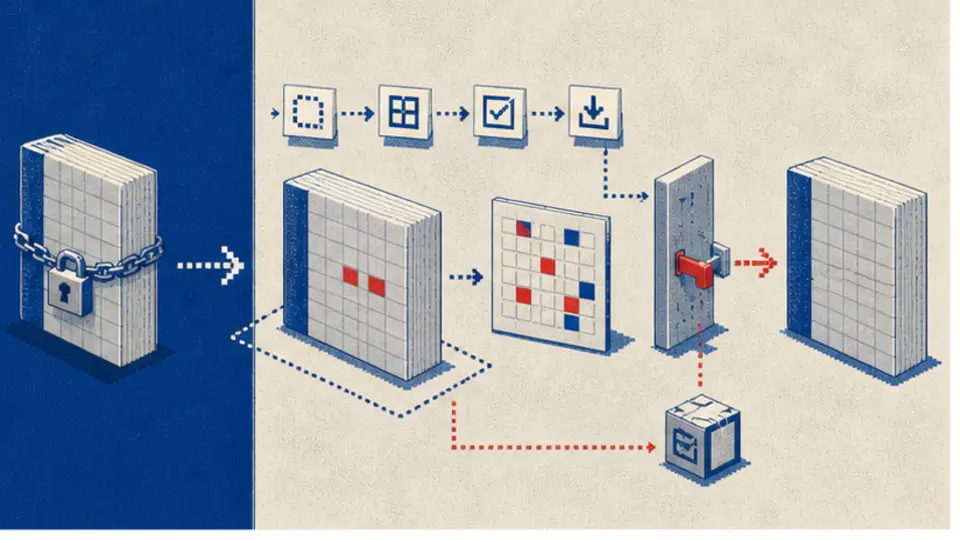
The extra copy is not free.
It uses more disk space and asks a person or downstream process to promote the candidate. That friction is useful while the preservation boundary is uncertain. Once the organization can prove that its library retains the workbook features it depends on, the promotion step can be automated under a separate, testable rule.
Validation stops at the edge of business meaning
The range update endpoint returns the updated range. Read it and compare the address, dimensions, values or formulas, and number format that matter to the patch. A local adapter can reopen the candidate and do the same. Readback catches truncated rows, locale conversion, accidental constants, address drift, and writes that did not persist.
Readback cannot prove the workbook is right.
A rate of 1.0725 may be faithfully written and still be the wrong rate. A formula can parse and calculate while encoding the wrong rule. Business validation needs independent invariants: reconciled totals, expected signs and ranges, known control cells, or comparison to an authoritative source. Keep that evidence separate from transport success.
The status model should preserve the distinction. write_confirmed means the reviewed payload appeared at the reviewed target. controls_passed means the selected workbook invariants also held. Calling both states “success” removes the information an operator needs when something goes wrong.
Failure modes after the request leaves the queue
Microsoft documents both ordinary workbook errors and long-running operations that can finish with a failed status. It also documents throttling, access conflicts, invalid sessions, and Retry-After. A timeout leaves a harder question: did the write fail, or did the response disappear after the workbook changed?
An application-owned ledger must answer before another mutation is attempted. Record the idempotency key before the call, bind it to the review digest and workbook version, and move it through states such as prepared, in_progress, confirmed, failed, or uncertain. A confirmed key returns the stored receipt. An uncertain key triggers readback and reconciliation. Changing the key does not make an uncertain write safe to repeat.
Some range assignments are naturally idempotent: writing the same two values twice produces the same visible cells. Table-row appends are not. Formula changes can also have indirect effects. The ledger should not guess from operation names alone; it should retain enough target and readback evidence to decide whether the intended result already exists.
Office Scripts move the boundary, not the responsibility
Office Scripts can package workbook logic and run through Power Automate. That may be a better home for a carefully reviewed transformation than hundreds of chat-generated range calls. It also introduces another execution environment with limits. Microsoft documents a 120-second synchronous timeout for a script run in Power Automate, along with platform-specific constraints.
A script name is not an approval.
The same admission questions remain: which workbook version, which script version, which inputs, which side effects, which review, which receipt, and what happens after an ambiguous timeout? Bind the script's immutable version or content digest and inputs just as tightly as a range patch.
What this evidence does not prove
The exact fixture replay proves only that the local decision function still produces its declared outcomes for those synthetic packets. Its SHA-256 remained ac8f7279667334ad96a089f0d1ab702ae6e3dd3c86bcd830a4b6e8bb5582114f. It did not validate Microsoft credentials, Graph latency, workbook feature preservation, formula recalculation, Office Scripts, a particular Python or JavaScript spreadsheet library, or any customer workbook. Five Graph-write cases were marked ready by policy; none was sent.
The fixture also imposes stricter rules than the API requires in places. Microsoft documents sessionless persistent calls, for example, while this write policy requires a fresh persistent session for its Graph mutation path. That is an operational choice designed to make attempts easier to bind and audit. It should not be misquoted as a platform limitation.
The useful rollout starts with a diff
Begin with analysis-only packets and candidate copies. Pick one workbook class whose formulas, tables, macros, external links, names, and control cells are understood. Capture a representative set of benign and hostile change requests. Confirm that target binding, shape validation, source-version checks, feature preservation, readback, controls, and replay recovery all fail closed.
Only then admit a narrow write operation.
One workbook identity. One sheet or table. One operation. One sequential lane. Small cell count. Fresh review. Candidate or remote version retained for recovery. The first production metric should not be minutes saved; it should be the proportion of proposed patches rejected, corrected, reconciled, and promoted without an unexplained workbook diff.
The bargain is fewer writes, but explainable ones
A broad Excel assistant sounds productive because cleanup, formulas, recurring reports, anomaly detection, summaries, reshaping, and cross-tool handoffs fit under one label. They do not share one mutation contract. Unsupported claims about setup time, return on investment, error reduction, or leverage only make that mismatch harder to see.
The workable design is narrower. Remote Graph writes, local candidate copies, and analysis use separate adapters. Authorization binds to an exact workbook patch. Writes serialize. Values, formulas, clears, and table rows stay distinct. The reviewed range cannot drift. Recovery evidence exists before mutation, and ambiguous delivery becomes reconciliation work rather than an optimistic retry.
That agent will refuse more requests and complete fewer writes on the first attempt. Good. Its useful output is not the claim that Excel has been “taken off your plate”; it is a patch, receipt, diff, and control result that another operator can inspect before a two-cell edit becomes a workbook-wide mystery.
Sources
- Microsoft Graph: Working with Excel in Microsoft Graph
- Microsoft Graph: Best practices for working with the Excel API
- Microsoft Graph: Create workbook session
- Microsoft Graph: Update a range
- Microsoft Graph: Add table rows
- Microsoft Graph: Excel error handling
- Office Scripts platform limits and requirements
- OpenClaw tools