2026-07-17
Claude Code Agent Teams: Setup, Limits, and Hosted Alternatives
Enable Claude Code agent teams, assign non-overlapping work, control permissions and token costs, and choose when subagents or hosted runtimes fit better.

Three busy Claude Code terminals can look like throughput right up to the moment two of them rewrite the same contract. Then the apparent parallelism becomes a review queue: one result must be discarded, reconciled, or proved compatible with the other. Agent teams do not remove that problem. They make the coordination path richer, which is useful only when the work was split well before the teammates appeared.
The decisive question is whether independent workers need to exchange findings while the work is underway. If each worker can return a self-contained answer, a subagent is cheaper. If the risk is concurrent file edits, worktrees provide isolation. If the critical path is serial, one session keeps the evidence together. A team earns its extra contexts when peer communication changes the result.
Evidence boundary: a fresh 23 July 2026 source check covered Anthropic's current agent-team, subagent, permission, cost, and worktree documentation. The audit host had no claude executable, so this article does not pretend that a live team was run. Its numeric comparison comes from a deterministic 12-task planning fixture; it measures scheduling and write ownership, not Claude latency, token use, or model quality.
The team test is lateral communication
Anthropic's distinction is architectural. A subagent has its own context but reports a result to the caller. An agent-team teammate is an independent Claude Code instance with access to a shared task list and direct messages to other teammates. That lateral channel helps when one investigator needs to challenge another, or when discoveries on one workstream alter a peer's next move.
| Topology | Useful when | What it does not solve |
|---|---|---|
| Single session | The next action depends closely on the previous result | Long-context pressure |
| Subagent | A bounded search, review, or computation can return one artifact | Peer-to-peer coordination |
| Agent team | Independent fronts need to compare, dispute, or redirect findings | Shared-file ownership and integration policy |
| Worktree | Concurrent sessions need separate files and branches | Shared task state or decision synthesis |
| Hosted runtime | A job must survive a terminal, accept events, or run on a schedule | Repository-specific acceptance criteria |
A security reviewer and a failure-reproduction worker may need direct conversation: a discovered exploit precondition can change the reproduction plan before either report is complete. Three documentation searches usually do not. They can return their citations independently, leaving the lead to compare them once. Counting tasks is therefore a poor sizing rule; count consequential peer dependencies instead.
Setup: verify the contract before you split work
Agent teams are still experimental and disabled by default. The current settings switch is:
{
  "env": {
    "CLAUDE_CODE_EXPERIMENTAL_AGENT_TEAMS": "1"
  }
}
Copied setup recipes age quickly. Anthropic's page still calls out the v2.1.178 contract change: spawning no longer needs a separate team-creation step, cleanup happens at session exit, and the old TeamCreate and TeamDelete tools are gone. The same page now documents agent-panel behavior through v2.1.199. An idle row can disappear while the teammate remains addressable, and the panel can contain both teammates and subagents. Seeing several rows is not proof that a team formed.
After enabling the feature, ask for the topology explicitly and give the lead a reason for it:
Spawn an agent team with two teammates.
Teammate A owns the authentication threat model.
Teammate B owns the failing-session reproduction.
They should message each other when a precondition changes.
Neither may edit production code.
Return: cited findings, reproduction log, disagreements, unresolved risk.
The lead is fixed, teammates begin from their spawn instructions rather than the lead's conversation history, and the shared task list has pending, in-progress, and completed states. Task claiming uses locking, but that lock protects the task record—not the repository files named by two badly written tasks. Put the relevant context, owned paths, dependency, and evidence obligation in each task instead of assuming that “the team knows.”
A twelve-task fixture exposes the false trade
The planning fixture used three worker slots, 12 tasks, 16 dependency edges, and one deliberately shared mutable file, src/contracts.ts. It compared three assignments over the same graph. No model was involved; the scheduler only recorded waves, idle slots, cross-worker dependency handoffs, and pairs of tasks whose different owners were told to write the same path.
A job-title split—frontend, backend, QA—finished in seven waves. It left nine worker slots idle, crossed worker boundaries on ten dependency edges, and produced four cross-worker writer-overlap pairs. The labels sounded familiar, but the actual write authority was ambiguous.
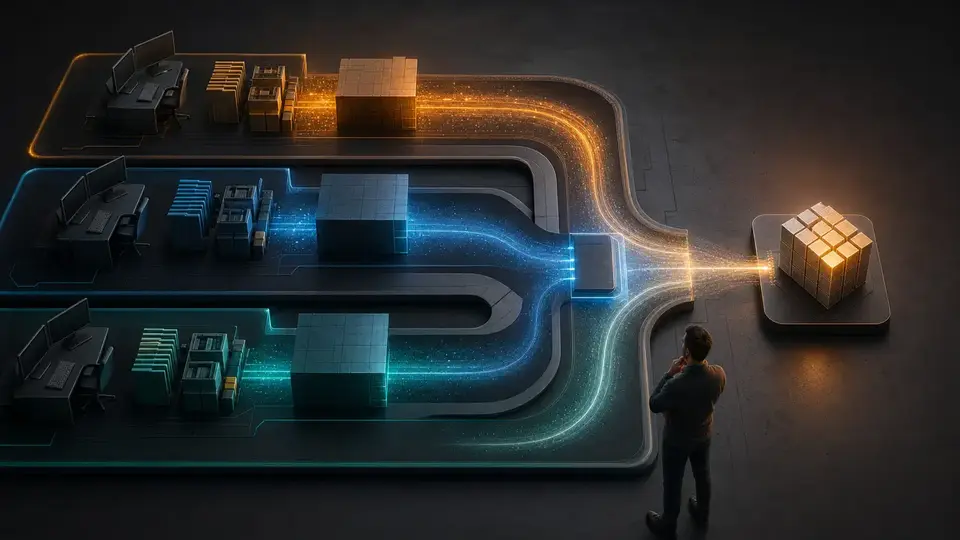
File ownership removes a collision without shaving a wave
Reassigning the same tasks by writable surface also took seven waves, left nine slots idle, and produced ten cross-worker handoffs. The difference was narrower and more valuable: writer overlap fell from four pairs to zero. Nothing became magically faster in the fixture. The resulting work was simply easier to attribute and integrate.
This is why “frontend, backend, tests” is not a sufficient team plan. A frontend task may update a shared type; an API task may touch the same definition; a browser-test task may add a fixture beside both. Job titles describe expertise. Ownership describes who may change a particular piece of state.
The faster schedule moves risk downstream
A greedy dependency-aware assignment compressed the graph to five waves with three idle slots. It also created 11 cross-worker handoffs and four writer-overlap pairs. The result does not show that slower is always safer. It shows that slot occupancy, dependency locality, and write isolation are different objectives.
For a real repository, shared interfaces should usually become predecessor tasks. Settle and review the contract, then fan out into modules that treat it as read-only. When an interface must remain unsettled, give one worker write authority and require everyone else to return proposed changes rather than editing it opportunistically.
Validation: measure ownership, not terminal activity
A teammate brief should make completion independently checkable. “Improve search” invites repository rediscovery and subjective stopping points. A useful task names the writable surface, read-only dependencies, required checks, and the evidence the lead will receive:
Task: add search filtering
Own: ui/Search.tsx, ui/search.test.tsx
Read only: src/contracts.ts, api/query.ts
Do not edit: src/contracts.ts
Dependency: contract task must be accepted first
Return: changed paths, test command and result, unresolved contract issue
The lead should validate the returned tree, not the teammate's confidence. Check that the claimed paths match the diff, rerun the relevant tests from the integration state, and keep unresolved questions visible. A completed task is a coordination signal; it is not proof that the repository satisfies its end state.
Plan approval is a model gate, not human authorization
A teammate can remain in read-only plan mode until the lead approves its approach. The lead may reject the plan and request a revision, which is useful for risky changes. Anthropic is explicit that the lead makes this decision autonomously. If a change requires human authorization, place that control outside the team and label it accurately. Do not turn an internal plan exchange into a fictional compliance checkpoint.
The same distinction applies to task completion hooks. They can demand a test log or reject an incomplete receipt, but they do not confer deployment authority. A clean team run may still stop before merge, release, production mutation, or any other action that belongs to a separate approval boundary.
Budget permissions and lifecycle together
Every teammate is a separate Claude instance with its own context. Anthropic says token use scales with the number of active teammates and how long they run; its current cost guide retains the estimate that plan-mode teams use approximately seven times more tokens than standard sessions. That is a planning comparison, not a quote for one repository. Model choice, project instructions, MCP servers, loaded skills, spawn briefs, and task duration all alter the total.

Permissions multiply at the same time. Teammates start with the lead's permission settings, and a broad bypass mode expands the exposure across every active worker. Claude Code evaluates permission rules in the order deny, ask, allow; a broad deny cannot be punctured by a narrow allow. Prepare the common policy before spawning, then keep destructive commands, production credentials, deployment actions, and unrelated repositories outside it.
Failure modes that survive a good task split
- Prompt congestion: poorly scoped permissions turn the lead into a prompt-clearing clerk.
- Disposable process state: in-process teammates do not return with
/resumeor/rewind; persist commits, test logs, decisions, and open questions instead. - Stale task state: a teammate can finish work before the shared task record catches up; inspect the artifact rather than trusting the badge.
- Slow shutdown: shutdown waits for the teammate's current request or tool call; stop idle workers instead of carrying decorative contexts.
- Hidden policy sharing: current worktree documentation notes that, from v2.1.211, a saved Bash approval in a worktree is written to the main checkout's local settings and applies across that repository's worktrees.
Worktrees remain valuable: they give concurrent sessions separate working directories and branches while sharing repository history. They solve filesystem collision, not peer coordination. Combining a team with isolated worktrees can address both concerns, but it also adds an integration step and a permission surface that the lead must understand.
Write the decision record before the spawn
Choose an agent team when at least two substantial fronts can proceed independently and their workers benefit from exchanging findings before synthesis. Start with two teammates. Give each a distinct writable surface, explicit dependencies, an evidence receipt, and a stop condition. Make any shared contract a named predecessor rather than a collision zone.
Choose a subagent when the worker can return one bounded result. Choose a worktree when file isolation is the main problem. Choose one session when the dependency chain is tight. Choose a hosted runtime when the work must survive terminal exit, run from a schedule, receive external events, or retain durable operational state.
The go/no-go record can be one sentence: peer communication is necessary because this finding can change that worker's active plan. If the sentence cannot name the finding and the affected plan, the team is probably paying for a communication topology the task does not need.
Evidence ledger
- Anthropic: orchestrate Claude Code sessions with agent teams
- Anthropic: create and use specialized subagents
- Anthropic: configure permissions
- Anthropic: manage costs effectively
- Anthropic: run isolated Claude Code sessions with Git worktrees
- GolemWorkers deterministic topology fixture: 12 tasks, three worker slots, and three assignment strategies; rerun 23 July 2026 without executing Claude Code.