2026-07-19
OpenClaw Agent Browser: Setup, Profiles, and Safe Automation
Set up the OpenClaw agent browser with isolated and signed-in profiles, stable snapshot-based actions, safe logins, downloads, troubleshooting, and production checks.
The most dangerous browser run is not the one that crashes. It is the one that clicks cleanly in the wrong account, loses track of its tab after navigation, then repeats a write because nobody checked whether the first attempt landed. The page looks healthy while authority and evidence have already drifted apart.
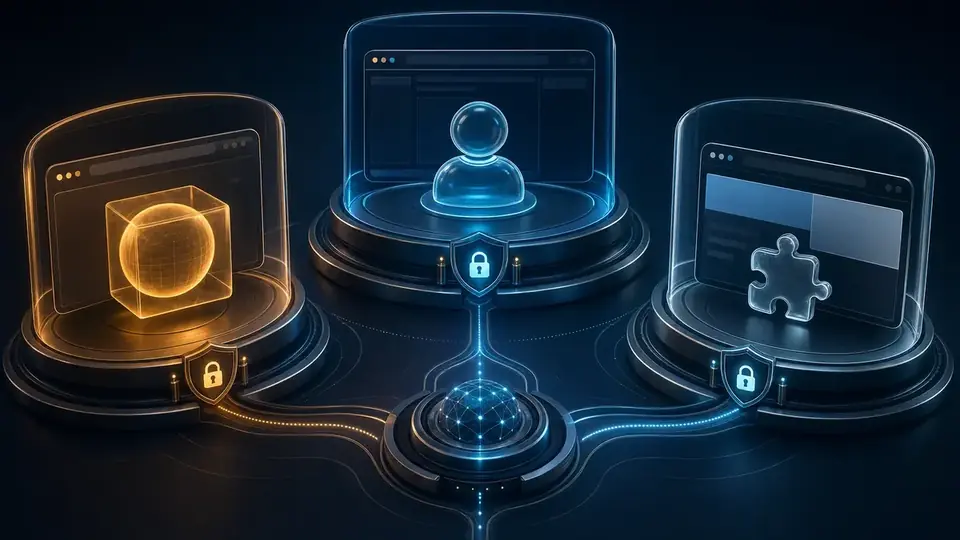
OpenClaw exposes three browser lanes, and profile selection is the first control—not a convenience flag. The isolated openclaw profile is the default for repeatable work. The user profile attaches to a real signed-in Chrome session and needs someone at the computer for the first remote-debugging approval. The extension-backed chrome profile can expose selected signed-in tabs while the operator is away. Each lane grants a different slice of browser and account authority.
Choose the authority boundary before the page
The managed profile has its own user-data directory. A public-site check therefore begins without the operator's personal cookies, extensions, local storage, or accidental admin session. Reproducibility is useful; accountability is better. When the run fails, the operator can identify exactly which browser identity held the session.
Tab ownership is similarly narrow. OpenClaw cleanup tracks tabs opened through the browser tool; it does not silently adopt tabs that were already open, created by the user, or of unknown ownership. That rule prevents a cleanup sweep from treating someone else's browsing state as disposable agent state.
Use the managed lane for research, visual QA, public forms, and any workflow that can establish its own narrow session. A durable work profile is reasonable when a task needs cookies across runs, provided the account itself is dedicated and minimally privileged. Reaching for a personal signed-in browser because it is already authenticated trades a minute of setup for a much larger blast radius.
The profiles fail in different ways
| Profile | What it controls | Use it when | What can go wrong |
|---|---|---|---|
openclaw | A separate OpenClaw-managed Chromium profile | The task can start clean or use a dedicated work login | A new profile may trigger bot checks or lack required account state |
user | The real signed-in Chrome session through Chrome DevTools MCP | Existing login state matters and the operator is present to approve attachment | The agent inherits the authority of the attached session |
chrome | Signed-in tabs exposed through the OpenClaw browser extension | Existing login state matters and the operator is away from the desk | Remote convenience can hide which account or tenant is active |
The practical rule is narrower than “prefer isolation.” If a task works in a fresh browser, keep it there. If it needs authentication, prefer a dedicated account inside a managed work profile. Attach a personal or administrator session only when the task truly depends on state that cannot be reproduced safely elsewhere.
The control plane can be healthy before the task is safe
A fresh host check on 23 July 2026 established a deliberately narrow baseline. OpenClaw 2026.7.1-2 reported a reachable browser-control endpoint, an enabled bundled plugin, a running managed profile, three configured profiles, and six visible tabs. The matching status response agreed on the selected openclaw profile, CDP transport, browser readiness, headless posture, and /usr/bin/google-chrome-stable.
Those checks prove that the control surface is available. They do not prove that the intended tab is selected, the right account is active, the page is safe to mutate, or a prior write did not already succeed. Browser health is a prerequisite for task evidence, not a substitute for it.
openclaw --version
openclaw browser --browser-profile openclaw doctor
openclaw browser --browser-profile openclaw status
This is a better starting artifact than a screenshot of an empty browser. It establishes the exact profile, transport, executable, and running state without navigating anywhere. When doctor says the browser command is missing, inspect plugin activation and plugins.allow; when the command exists but the agent tool does not, check the tool profile. The current documentation is explicit that tools.profile: "coding" does not include the full browser tool unless browser survives the profile-level filter.
browser in ~/.openclaw/openclaw.json. Plugin activation and agent tool permission are separate checks. A valid browser profile does not make the tool available to every agent.Run a chain of evidence, not a chain of clicks
Coordinates encode a picture of the page. Browser references encode a particular observed state. Neither remains valid forever, but the second one fails in a way the agent can reason about.
- Read browser status and list tabs before touching the page.
- Label or retain the task tab identifier, then keep later actions on that tab.
- Take a structured snapshot and resolve the target by role, label, accessible name, or stable selector.
- Perform one meaningful action.
- After navigation, a modal, submission, or substantial DOM update, take another snapshot.
- Read the resulting state instead of assuming the action produced the intended outcome.
A stale reference is not an invitation to click harder. Resnapshot the same tab once and resolve the target again. Repeatedly applying an old reference can turn an ordinary interface change into a duplicate write. Switching tabs is an even harder boundary: references from one tab must never be carried into another.
Prefer the tool's stable tab handle or label over a raw CDP target ID. OpenClaw can preserve a stable handle across an unambiguous target replacement—for example, one old tab becoming one new tab after a form submission. It refuses to pretend certainty when several duplicate-URL tabs make the replacement ambiguous. That is the correct failure mode: ambiguity should produce a new handle and a new observation, not an invisible guess.

Typing deserves the same restraint. Use a complete field-fill action when the page supports it. Fall back to character-by-character typing only when the application depends on keyboard events. A fixed delay should be the last repair, not the first; waiting for a named page condition is both faster and less brittle.
Failure modes after a login handoff
OpenClaw's login documentation recommends manual sign-in. Credentials, recovery codes, one-time codes, and session cookies should stay out of model context. The operator opens the intended profile, completes password, MFA, or CAPTCHA entry directly in the browser, and then returns control after the authenticated landing page is visible.
The first post-login check should identify the account and tenant. A successful authentication can still land in the wrong workspace, advertising account, repository organization, or billing environment. That mismatch is dangerous precisely because the page looks healthy.
Anti-bot challenges expose a real trade-off. The managed profile is clean and reproducible, yet a new profile on a datacenter IP may look suspicious to a service. More retries usually make the signal worse. If manual login does not settle the session, stop and choose an official API, a local signed-in browser, or an approved export path. Circumventing the challenge is not browser reliability work.
A click proves intent; readback proves effect
A visible success toast is weak evidence. Reload the record, query the system through a read endpoint, or inspect the downloaded file. For a report download, verify the managed download metadata, media type, byte size, and expected contents. For a form submission, reopen the destination or search for the created record. For any irreversible write, record an idempotency key before the final action.
The awkward case is a timeout immediately after submission. Do not click again. The browser lost confirmation, not necessarily the write. Read the external system first; only retry when the absence of the result is established. This single distinction prevents many duplicate tickets, posts, invoices, and account changes.
Browser automation is complete when the external state is verified, not when the browser reports that an input event was dispatched.
Move to an API before repetition becomes risk
Use the browser for interfaces that have no suitable API, for visual acceptance checks, and for workflows where the rendered page is itself the product. Prefer an API when the operation is high-volume, exact-once, security-sensitive, or naturally represented as structured data. A browser is excellent at crossing a human interface; it is a poor substitute for a transactional contract.
Keep the browser control service on loopback or behind authenticated, paired infrastructure. Leave private-network access denied unless a narrow hostname exception is documented for a trusted service. After changing browser routing or exposure, run a deep security audit. None of these controls replaces account-level least privilege: a well-protected browser attached to an administrator session still has administrator authority.
The durable hosted design is modest on purpose: an isolated default profile, one deliberately scoped authenticated lane when the task needs it, stable tab handles, snapshot-bound actions, manual credential entry, and an external readback after every consequential write. GolemWorkers can keep the host and Gateway running. It cannot decide which account should be allowed to act or whether a business-side effect is acceptable. Borrowed browser authority still needs a named owner.
Primary sources used for this operating model
- OpenClaw managed browser documentation — profile behavior, plugin and tool-policy activation, tab ownership, downloads, configuration, and navigation boundaries.
- OpenClaw browser control reference — tab handles, snapshots and refs, guarded actions, structured failures, downloads, and debugging surfaces.
- OpenClaw browser login guidance — manual login, host-browser access, and attended profile selection.
- OpenClaw Chrome extension guidance — signed-in tab sharing, the tab-group consent boundary, remote use, and relay security.
- OpenClaw Gateway security guidance — browser-control exposure, operator trust, remote nodes, and audit priorities.