2026-07-19
OpenClaw Cron Jobs: Setup and Troubleshooting
Set up reliable OpenClaw cron jobs with explicit schedules, sessions, payloads, delivery, manual verification, and failure diagnosis.

The most misleading cron failure is a job that never reached its payload. OpenClaw cron has separate schedule, admission, execution, and delivery contracts. Diagnose the phase that failed before editing prompts or destinations. In a read-only snapshot used for this article, one recurring publisher was disabled with no next run; among its ten most recent runs, six completed and four failed before useful work—two during runner setup and two during session ownership changes.
That history looks erratic if reduced to red and green dots. It becomes coherent once each run is assigned to a phase. Schedule parsing decided when the run was due. Runtime admission tried to acquire the session and start the runner. The payload would have done the article work. Delivery would have posted the result. The four failed runs did not provide evidence that the article prompt, images, or CMS call was wrong.
This distinction is not academic. Operators often “fix” a pre-run timeout by lengthening the job message, replacing the model, or changing the Telegram target. Those edits add variables without touching the failed boundary. Cron reliability starts with preserving the exact run identity and asking how far it got.
Disabled means no future dispatch. A disabled job can retain its schedule, payload, last error, and history while exposing no nextRunAtMs. Do not mistake the stored expression for evidence that another run is pending.
The run that failed before the article began
The inspected scheduler contained 39 jobs: four enabled and 35 disabled. Exactly four had a next-run timestamp. Schedule kinds were split across 11 cron expressions, 24 one-shot at jobs, and four fixed-interval every jobs. Thirty-four targeted isolated sessions, two targeted the main session, and three used a persistent explicit session.
Those counts describe one installation at one moment, not recommended capacity. Their value is diagnostic. “The scheduler is down” would be a poor explanation when four enabled jobs all had future run times and current status ok. The stopped publisher was different: enabled: false, status disabled, and no next run. Its last recorded error remained visible because disabling a job does not erase evidence.
| Observed fact | What it establishes | What it does not establish |
|---|---|---|
| Four enabled jobs, four future run times | The scheduler computed future dispatch for every enabled job in this snapshot | That each future payload will start or succeed |
| Publisher disabled, no next run | No new publisher dispatch is scheduled | That its stored expression or history was deleted |
| Four errors in ten runs | The failure rate warrants phase-level investigation | That all four errors share one cause |
| Two setup timeouts, two lifecycle conflicts | Each failed before useful payload work | That the prompt or delivery target caused the failure |
A job history is an event log, not a verdict.
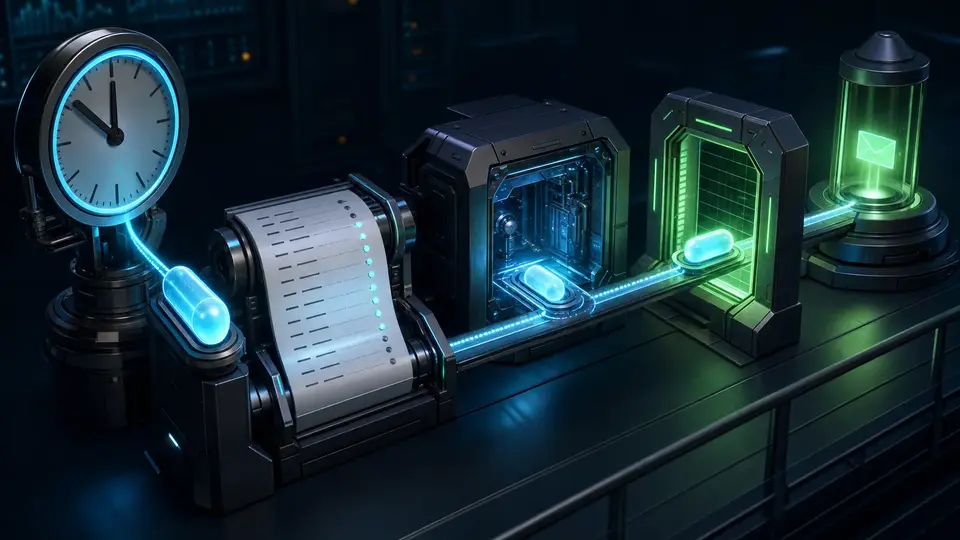
A cron job has four different clocks
Schedule clock
at, every, cron, or on-exit decides when a run becomes due. Timezone and staggering belong here.
Admission clock
Gateway ownership, concurrency, session acquisition, context loading, auth, and runner startup decide whether execution can begin.
Execution clock
The payload has its own timeout and may also encounter provider, tool, process, or no-output limits after startup.
Delivery clock
Direct sends, fallback announce, webhook POSTs, and failure notifications resolve after the run produces a terminal outcome.
OpenClaw cron lives inside the Gateway. Persisted definitions survive restarts, but the Gateway must be running to dispatch them. Every execution also creates a background task record, which supplies a second durable view of what happened. Sessions hold conversation context; tasks record detached activity; cron owns the schedule and run history. Treating those as one object is how stale session rows get mistaken for live work.

Requirements for schedule syntax during an incident
Choose the schedule once, test its interpretation, then record it. A one-shot timestamp without an offset is UTC. A cron expression without --tz uses the Gateway host timezone. Fixed intervals do not accept a timezone. Recurring top-of-hour expressions may be staggered by up to five minutes unless --exact or an explicit stagger is used.
Day-of-month and day-of-week are a sharper trap. When both fields are restricted, standard Vixie-style OR behavior means either match can fire the job. The expression 0 9 15 * 1 does not mean “the fifteenth only when it is Monday.” Use the supported day-of-week modifier for AND behavior or keep one calendar condition in the schedule and guard the other in the payload.
# One exact daily wall-clock schedule
openclaw cron create "0 7 * * *" \
  "Prepare the morning operational brief." \
  --name "Morning brief" \
  --tz "America/New_York" \
  --session isolated \
  --no-deliver

# One-shot UTC reminder
openclaw cron add \
  --name "Verify migration" \
  --at "2026-07-22T14:00:00Z" \
  --session main \
  --system-event "Verify the completed migration."
Schedule changes should answer a calendar error: wrong wall-clock time, wrong timezone, unwanted staggering, or incorrect OR semantics. They do not repair a runner that timed out during context setup.
Session choice decides what “same context” means
main is appropriate for a self-contained system event that belongs in the main session lane. isolated creates a fresh transcript per run and is the default fit for independent reports and chores. current binds the active session at creation time. session:<id> keeps a named context across runs.
Fresh does not mean anonymous. Isolated runs retain safe preferences and explicit model or auth overrides, but they do not inherit ambient routing, origin, elevation, queue policy, or an ACP runtime binding from an older chat row. If a scheduled task depends on yesterday’s discussion, state that dependency in durable input or choose a deliberate persistent session. Accidental context inheritance is not a reliability strategy.
The inspected publisher used an explicit persistent session. Two recent failures were classified as session lifecycle conflicts. That does not prove persistent sessions are defective; six runs in the same ten-run window completed. It proves that a lifecycle conflict should be investigated at session ownership and admission before anyone rewrites the article instructions.
Payload and delivery are separate promises
A job carries exactly one payload kind. A system event queues text for the main session. An agent message starts a model-backed turn. A command payload runs a deterministic process inside the Gateway scheduler without starting a model turn. In the inspected inventory, 37 jobs used agent turns and two used system events; no conclusion about command jobs follows from their absence.
Delivery is configured independently. announce fallback-delivers the final reply when the agent did not already send it. webhook posts the finished event to an endpoint. none disables runner fallback delivery. An isolated agent may still send directly with the message tool when it has a valid route, even if fallback delivery is disabled.
Silence is ambiguous until history says otherwise. It can mean the job never became due, startup failed, the payload returned NO_REPLY, delivery mode was none, the agent sent directly, the route failed closed, or the run succeeded but produced no deliverable text.
Keep failure notifications on their own route. A broken primary destination should not be the only place an operator expects to learn that delivery failed. For unattended work, record the primary destination, failure destination, alert threshold, cooldown, and whether skipped runs should count toward alerts.
Troubleshooting before the model starts
OpenClaw now records phase-specific startup errors such as an isolated agent setup timeout or a stall naming the last known setup phase. These are not model answers. They indicate that the run did not reach normal execution. Context loading, hook work, authentication, session acquisition, or CLI/provider bootstrap can fail before the first model request.
A lifecycle conflict is different. It means the session binding changed while cron was trying to start work. The narrow repair is to identify who owns that session, whether the job should use a fresh isolated target, and whether concurrent chat activity is expected. Making the prompt shorter may reduce later model work; it does not fix ownership changing underneath startup.
- Setup timeout: inspect startup phase, auth, context engine, hooks, provider bootstrap, and runner availability.
- Session lifecycle conflict: inspect target selection, current-session churn, concurrent ownership, and whether persistence is intentional.
- Execution timeout: inspect the payload’s model/tool/process duration and its explicit timeout budget.
- Delivery failure: inspect resolved route, credentials, target syntax, direct-send diagnostics, and fallback use.
Do not flatten those categories into “cron failed.” A phase label is the beginning of a repair plan.
Validation with one queued run and the same identity
A manual run is not a substitute for history. openclaw cron run <job-id> queues work and returns a run ID. Preserve it. Without that identifier, the operator may inspect a previous failure or a later scheduled run and believe it belongs to the test.
openclaw cron run <job-id>
openclaw cron runs --id <job-id> --run-id <run-id>

# Or block for that exact queued run
openclaw cron run <job-id> \
  --wait \
  --wait-timeout 10m \
  --poll-interval 2s
Use --due only when the test should respect the current schedule. A forced run answers “can this job execute now?” A due-only run answers “would the scheduler dispatch it now?” They are different experiments.
Every cron execution also creates a task record. If run history and visible session state disagree, inspect the task ledger rather than polling the chat. The cron runtime is authoritative while it owns the job; durable run history becomes the recovery source after runtime ownership ends. A lingering child session row alone does not prove that work is still running.
Backoff is evidence, not a second schedule
Recurring jobs back off after consecutive execution errors: 30 seconds, one minute, five minutes, 15 minutes, then 60 minutes. The next successful run resets the sequence. Skipped runs use a separate counter and do not increase execution-error backoff. One-shot jobs retry supported transient categories within their configured attempt budget; permanent errors disable them.
This creates two timestamps worth preserving: the nominal schedule and the actual retry dispatch. If an operator records only “supposed to run at 09:00,” a 09:05 retry looks like scheduler drift. If only the retry time is recorded, the original failure disappears. Keep the schedule, run ID, attempt status, phase, and terminal result together.
A local model preflight can produce skipped rather than error when every configured local endpoint is unreachable. That is deliberate: an unavailable provider should not create an expensive storm of doomed isolated turns. Decide explicitly whether skipped runs belong in failure alerts.
A production handoff for unattended work
The useful cron handoff is small enough to read during an incident and precise enough to prevent speculative edits:
- Job ID or a one-way hash, enabled state, normalized schedule, timezone, and next-run timestamp.
- Session target and the reason it is main, isolated, current, or persistent.
- Payload kind, timeout budget, tool restrictions, model policy, and fallback policy.
- Delivery mode, resolved route class, failure destination, and silent-token policy.
- Exact run ID, nominal due time, actual start time, last phase, terminal status, and duration.
- Whether the error happened before startup, during execution, or after output during delivery.
- What was changed, what was deliberately left unchanged, and the next bounded experiment.
Leave raw prompts, private destinations, tokens, and message contents out of a shareable incident artifact. The read-only evidence capture for this article retained counts, schedule/session/payload categories, phase classifications, durations, and booleans. It did not retain job prompts, delivery targets, raw errors, or the Gateway token.
The inspected publisher remains stopped. Its disabled state and absent next-run timestamp were rechecked while writing this article. No job was enabled, edited, added, removed, or manually run for the evidence capture.
For a managed agent runtime, deploy an AI agent on GolemWorkers. For related operating boundaries, see OpenClaw session isolation and OpenClaw log triage.
The primary record for scheduler behavior
- OpenClaw Scheduled Tasks — schedule kinds, payloads, sessions, delivery, retries, startup watchdogs, and troubleshooting.
- OpenClaw cron CLI — create, inspect, run, wait, edit, and history semantics.
- OpenClaw Background Tasks — the activity ledger and runtime-aware reconciliation for cron executions.
- OpenClaw Automation — when cron, heartbeat, tasks, hooks, and durable flows belong in the design.
The operating rule is blunt: first prove whether the job became due, then whether a runner owned it, then whether the payload executed, and only then whether delivery worked. A scheduler incident becomes manageable as soon as those four questions stop sharing one red status.