2026-07-20
OpenClaw Skills: Build, Test, and Troubleshoot Agent Workflows
Build OpenClaw skills with precise triggers, dependency gates, per-agent visibility, CLI checks, safe runtime boundaries, Workshop review, and ClawHub verification.

A skill can exist on disk, look valid in an editor, and still be irrelevant to the agent that is supposed to use it. OpenClaw does not load a directory by wishful thinking. It resolves several sources, selects one definition for a name, applies dependency and agent filters, snapshots the result into a session, and only then gives the model a description it can route against.
That pipeline is the useful mental model for both building and troubleshooting skills. On the current OpenClaw 2026.7.1-2 host, openclaw skills check --json found 55 skills but reported only 20 as eligible and model-visible for the main agent. The other 35 were not mysterious broken files; they were disabled or unavailable in this environment. A raw directory count would have described none of that.
A loaded skill is a resolved artifact, not a folder
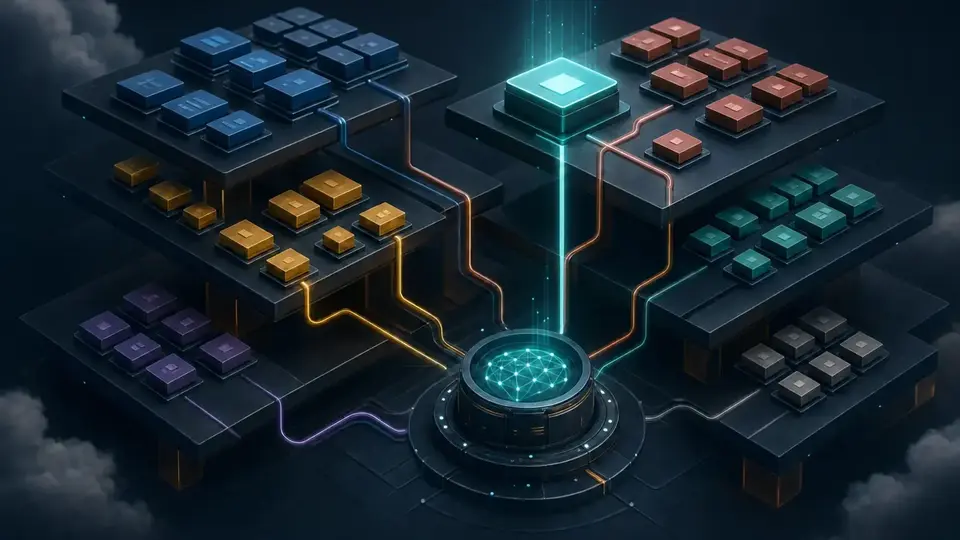
OpenClaw can discover the same skill name in more than one root. The winner is chosen by precedence: workspace skills first, then project-agent and personal-agent roots, managed local skills, bundled skills, and finally extra directories or plugin skills. Folder depth is organizational; the frontmatter name is the identity that participates in resolution.
This makes a workspace override powerful and slightly dangerous. It is the fastest way to repair a workflow for one agent without modifying the bundled installation. It is also easy to edit a managed copy while a workspace copy with the same name continues to win. The symptom is infuriatingly clean: the edit saves, the gateway remains healthy, and behavior does not change.
openclaw skills info my-skill --jsonUse that command before opening SKILL.md. Its output identifies the selected source class, exact file path, base directory, visibility flags, requirements, and anything missing. On this host, the SEO publisher resolved to the workspace path under /root/.openclaw/workspace/skills, was eligible, and had no unmet binary, environment, configuration, or operating-system requirement. That is a provenance record, not just a green light.
Troubleshooting starts with the aggregate
The skills CLI has three diagnostic views, and they answer different questions. list is inventory. check summarizes the effective surface for an agent. info explains one resolved name. Running them in that order avoids the usual search through configuration, PATH, and five possible skill roots.
| Question | Command | Evidence it returns |
|---|---|---|
| What can this workspace see? | openclaw skills list --json | Resolved names, source, eligibility, model and command visibility, plus missing requirements |
| What reaches this agent now? | openclaw skills check --agent main --json | Totals and named sets for eligible, model-visible, command-visible, disabled, blocked, or filtered skills |
| Why is this one absent or surprising? | openclaw skills info <name> --agent main --json | Winning path, flags, gates, missing dependencies, and available installation hints |
The live comparison on this host was concrete. The workspace publisher reported eligible: true and an empty missing object. The bundled openai-whisper skill reported eligible: false because the whisper binary was absent, and its info response included a matching install hint. Both skill directories were present. Only one could complete its advertised workflow.
Presence answers “was a skill discovered?” Eligibility answers “can this host offer it honestly?”
When the aggregate count looks wrong, add --agent before changing global configuration. Agent allowlists are final sets, not additive patches: a non-empty agents.list[].skills replaces the inherited default list for that agent. An empty list deliberately exposes no skills. That behavior is useful for locked-down agents, but it makes “the skill works for main” weak evidence for a worker with a narrower allowlist.
Eligibility is only the first contract
Load-time gates prevent OpenClaw from advertising a workflow that cannot start. A skill can require all named binaries, any one of several binaries, environment variables, truthy configuration paths, or a supported operating system. The result is better than a late shell error because the missing prerequisite is visible before the model chooses the skill.
The minimal frontmatter is deliberately small:
---
name: log-triage
description: Inspect recent service logs, isolate one failure boundary, and return evidence with a safe next action.
metadata:
  openclaw:
    requires:
      bins: ["journalctl"]
      config: ["tools.exec.enabled"]
---

Use read-only log queries first. Stop before restarting a service.
The gate says the ingredients exist. It does not prove that journalctl can read the intended unit, that the agent may call exec, that the OS user has permission, or that the instructions produce a useful diagnosis. Those are separate runtime and acceptance tests.
Environment-backed skill secrets have another boundary worth stating plainly: skills.entries.*.env and apiKey inject values into the host process for that agent turn. They do not automatically enter the sandbox. Copying a key into the prompt or logging it to make a sandboxed helper work defeats the boundary. Configure the sandbox explicitly or keep the secret-consuming step on the host with a narrow tool contract.

A description is routing code
The model usually sees the skill name and description before it reads the body. A vague description such as “helps with deployments” therefore behaves like a broad catch-all route. It may steal incident-response requests, release questions, or configuration audits that belong elsewhere. The body can contain perfect instructions and never be reached for the right reason.
A useful description names the triggering intent, the bounded outcome, and the important exclusion. “Publish a reviewed web release from main using the standard release script; do not use for development deploys” is less elegant than “deployment helper,” but it gives the router something testable.
Test routing with a small matrix rather than a single happy prompt:
- A direct request that should select the skill.
- A paraphrase using none of the description's headline words.
- A neighboring request that should select a different skill.
- A request missing a required dependency, which should explain the gate rather than improvise.
- An explicit slash invocation, if
user-invocableis enabled.
Run the matrix in a fresh session after changing frontmatter. OpenClaw watches skill files, but an existing session can retain a snapshot of the skill surface it received at startup. A stale session and a losing precedence path produce the same misleading observation: “I changed the file and nothing happened.” skills info resolves the path; a new session resolves the snapshot.
The sandbox boundary survives a green status
Skill visibility is not shell authorization. The official OpenClaw reference makes this distinction explicit: an allowlist controls which skills reach prompt building, slash-command discovery, sandbox sync, and snapshots. If the same agent can use exec, the operator must still constrain that shell with sandboxing, OS-user isolation, command policy, and per-resource credentials.
That separation changes how a skill should be written. Instructions should identify the allowed operation and its stop conditions; they should not accept untrusted text and splice it into an arbitrary command. A support-ticket skill that runs whatever appears between backticks in a customer message is unsafe even when the skill itself is perfectly gated.
For consequential work, test denial as deliberately as success. Remove the required credential and confirm the skill stops. Present an out-of-scope target and confirm it refuses. Deny the command or tool and verify that the response reports the blocked action instead of claiming completion. A green skills check proves none of these outcomes; it only says the workflow is eligible to be offered.
Change control belongs outside the live file
Direct edits are appropriate when the operator owns the workspace and is intentionally making the change. Agent-drafted reusable changes need a review boundary. Skill Workshop provides that boundary as a proposal queue: proposed content is inspectable, revisable, rejectable, or quarantinable before it becomes the active skill.
Third-party distribution adds a different concern. ClawHub verification can return a trust envelope and server-resolved provenance for a versioned package. It does not turn community instructions into trusted code. Read the skill, inspect support scripts, constrain its tools, and prefer a pinned, reviewed source. A clean scan is evidence about the package that was scanned; it is not a promise that the workflow matches your authorization model.
The durable acceptance record for a skill is compact:
- The exact resolved path and source reported by
skills info. - The agent-specific eligibility and visibility reported by
skills check. - The dependency failure that correctly removes or stops the workflow.
- Positive, paraphrased, and neighboring routing prompts from a fresh session.
- One real tool result or external readback for the advertised job.
- The proposal, package version, or commit that supplied the reviewed instructions.
This sequence is faster than debugging from the body outward because it follows the resolver in the same direction OpenClaw does. First identify the winning artifact. Then explain its eligibility and visibility. Finally test routing and runtime authority. GolemWorkers can keep that host, versioned workspace, evidence, and scheduled validation available continuously; the skill remains understandable because its operational contract is still visible outside the model.
Primary documents used for this field check
- OpenClaw Skills reference — precedence, discovery, allowlists, gating, security boundaries, and secret injection scope.
- Creating OpenClaw skills — the minimal file contract, conditional activation, fresh-session testing, Workshop proposals, and publishing guidance.
- OpenClaw skills CLI — list, check, info, install, update, verify, and Workshop command behavior used in the host inspection.